Pages

Translate

Thursday, May 28, 2020

DFI Day 4 Dealing with Data

I was really looking forward to todays DFI as I learnt so much last week that I could transfer directly into my kete of pedagogy.  Looking at the agenda I saw some deep dives that I could see would be really valuable to assist my workflow.

How did they day unfold...

SHARE

Dorothy presented a fantastic session on the share part of the Manaiakalani pedagogy which actually created an epiphany for me. It wasn't only around what share is or how we can use it to engage and motivate the tamariki, but on a personal note. In my Kahui Ako role I am focussing on Learn, Create, Share, pedagogy though a bicultural lens including modelling pedagogy and supporting teachers in the cluster. 

In Dorothy's presentation she showed a slide which demonstrated how share has been around forever, she then went further into her presentation and showed a slide with images on it of sharing. It occurred to me that from a bicultural perspective there are many narratives, stories, real life examples and mythical stories that demonstrate fantastic morsels  of learn, create and share. Situations that have occurred and presented themselves aligning directly with these three words. I thought that it would be a valuable idea to select some images, through a bicultural lens with backstories included, to unpack this pedagogy further. Maybe I could create an image that would be useful to share wider than the Kahui Ako? 
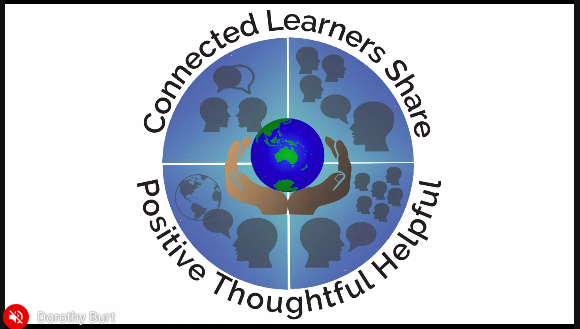

How create can present itself, all equally important .
1:1, small groups, whānau or small groups within school, larger groups such as community gatherings, assembles, lecture theatre or conferences and sharing with the world with the potential to reach across the globe.


SPREADSHEETS

Coming into today I was a beginner at using spreadsheets and really only saw them as a bunch of data for very organised people. However now after being shown the ins and outs and the exciting things that we can create I see them in a whole new light. I see so much potential to assist my workflow and organisation especially with gathering and collating data on assessment etc. With reports due in a few weeks I am going to make a commitment to use a spreadsheet to gather data and also try the customise option to highlight those tamariki that are my target tamariki. I will need lots of practise to get around these and there is so much to learn but I now feel engaged in this part of the google suite. Maybe I will become one of those very organised people? With my tamaiki I know that there are many opportunities to use spread sheets and I will introduce the blog posts activity to them as a taster of the possibilities.


Time to create.. I had a go at using the statistics available on our classroom blog for the past few weeks and came up with this. I was really pleased with how it turned out and of course the next step would be to provide some analysis of the data.


MY MAP

A seriously cool tool. Maria introduced me to My Map and I had so much fun playing around with it. I can see many uses for this tool in the classroom starting with tamariki plotting their whakapapa on a map of Aotearoa, their marae, awa, maunga etc. A visual on these places would be amazing as a digital pepeha. Lots to unpack and explore here... I have a feeling that the tamariki will be really savvy with this tool and it will become one of the go to tools for create. This was my map of holiday destinations of our Thursday DFI cohort that I created.


FORMS

Revisiting Google Forms and diving a little deeper was exciting. I learnt how to add an image into my form and am going to spend more time over the next few weeks learning how to make pathways. Here is a copy of the form I created. It was done very quickly and next time I would like to spend more time developing quality questions and response opportunities I really wanted to practise inserting images today.


LABELS and BLOGS

I didn't realise that you are able to click on existing labels within your blog and that they automatically add them to your current blog post labels. This while a very simple piece of information will be extremely helpful for the tamariki in my class as they are always asking "What labels should I use?" Now I can just direct them back to labels that they have already used and get them to pick which they feel are the most appropriate. I am also grateful to the selection of labels provide for me to use on my blog as shown below. This will be more time efficient and ensure everything is linked in some way.


Thursday, May 21, 2020

DFI Day 3

Mihi

It was so nice to be welcomed back and to be a part of this large online cohort. Starting the day with karakia from Makaore set the tone and the efficient way we moved through the agenda maximised the learning. What a day of learning it was... 

I met the wonderful Kerry and her team and felt very included in the space...ngā mihi Kerry.


Manaiakalani Pedagogy

Listening to Dorothy present on Create was a reminder to me that the  CREATE part of the Manaiakalani pedagogy is so important as we encourage those tamariki who may be disconnected with learning or unmotivated to stay excited. It really is at the heart of the matter and has been around for so long. If we look at research from 60 years ago we see tamariki creating, it's not new! Reflecting on our 8 weeks lockdown, the joy that sparked the tamariki over this period, was the create, there was an abundance of problem solving, adapting and thinking outside the square over this period. Tamariki were tapping into their creativity.


Youtube

Revisiting Youtube and the benefits of creating playlists is an area that is new to me and something that will definitely increase my workflow. Rather than hunting around and then being diverted to other kaupapa I personally can see benefit in taking the time and getting these playlists embedded into my site. If this is going to save me time I can only imagine how much more focussed the tamariki will be if they are not zooming around wasting time as well. It was also a chance to recheck settings.


Levelling up

I enjoyed working on Google Draw today with Makaore and Gerhard. This is an area where my tamariki are better than me at using and I really wanted to develop my skills around this. A perfect opportunity to earn how to layer and also use the tools to trace and colour images. I feel a lot more confident with this tool now and see the benefits of being able to incorporate it in the create pedagogy space.It was fun and has endless possibilities.


Reflection

As always these days are so beneficial to me as a teacher and mentor but also personally as I take time to put aside the daily rituals and really focus on developing my weaknesses or areas that I feel less confident in.  I wasn't sure about how the online delivery would go but after finishing todays session I am excited, positive, buzzing and ready for next week.


Thursday, March 19, 2020

DFI Day 2


Deep Dive #1 Google Hangouts
What's all the fuss about?
Because I had no real idea how to use this amazing feature I didn't realise how useful it would be to have that face to face contact with the class without actually being present. In light of what is happening around the world I see the urgency in learning how to be proficient in this method of delivery.

 It was a bit confusing to start with but I think with lots of practise it will become easier. I am excited about doing a tuition with my class on Monday. We had a go as a small group which was lots of fun and I am keen to have a go at using the new recording function that is a part of Google Hangouts, however it hasn't been pushed out to us yet. At this stage we need to use Quick Time to record.

It was really great to join a hangout with someone in Auckland and reflect on the Manaiakalani pedagogy with a focus on Learn.
To start with we  looked at the 4 goals of learn...

Goal 1 Teachers and learners need to learn the same skills
Goal 2 Teachers need to use this learning
Goal 3 Teachers need to take the evidence that we have presented and make deliberate and effective use of it.
Goal 4 We must be working all the time in that digital environment.
We need to be moving both these lines at the same time hand in hand.


Deep Dive #2 Google Keep 


Another amazing extension that I have used in the past. This was really a refresher for me and a reminder how Google Keep can really streamline my workflow.  Just use it!

A hack that I took away from this deep dive was that you can use the recording function in Google Keep and it will convert it to text.


Image result for google mail


Deep Dive #3 Google Mail 
This was a chance for me to go behind the scenes and have a play with my settings. Look at some cool hacks and setting features to personalise  my Mail to suit me.  I really enjoyed finding our more about this as Google Mail is so important in my daily work.  My to do from this deep dive is to setup my email signature.  I remember that DJ Burt mentioned to keep it professional with no bitmoji and photos so I have to get that done. A hack that I took away was to use schedule send at the bottom of my emails.

Deep Dive #4 Google Calendar. 


This would have to be the most useful Deep Dive today for me today and an app that I am embarrassed to say I have never really used properly. I have used the surface features but because I haven't learnt ins and outs it has been a chore to add all my events and appointments. Now that I am more familiar I can see myself using this all the time. It will ensure I don't forget appointments and take away the stress of having to remember everything. Love it! The added benefits of being able to invite people to Hangouts etc easily is also great. My hack would be to use Google Calendar to send notes to reliever within an appointment.

Summary of the day...

  • So much fantastic, useful information 
  • Hanging out with awesome colleagues
  • Knowledge which will help me with workflow
  • New learning to take back to share with the tamariki
  • Feeling empowered.

Friday, March 13, 2020

DMIC Professional development

Day 1 of DMIC 


  • Recognise that culture and maths are intertwined
  • Connected rich mathematical thinking
  • Proficient use of mathematical practises
  • Inquiry learning within mathematics
  • Social grouping
  • High expectations and inclusion
  • culturally sustaining teaching and learning
  • Co-constructing teaching, co-constructing learning


Discussion around groupings of children was interesting and I was concerned that my higher ability children would not be challenged.  I am keeping an open mind......


Tips and Tricks

  • When writing problems makes sure you use the culture of someone in your class. Everyday there will be a star.
  • Set whānau task to take photos of mathematical things in their house and send back to class.
  • Warm ups are to be completely unrelated to the task you are teaching.


How to set up your class


No more than 16 in group working.
Felt pens
One pen one recording book.
No one is left behind you are working as a whānau group no one is the passenger no one is the leader.


What do you do with the other half of the class?


Useful links


Warm Ups


What mathematical ideas do you see here? ½ ¼ whole?????


Thursday, March 12, 2020

DFI Day 1

Deep Dive #1     Google Groups

What?
I was introduced to the benefits of using Google Groups for communicating with whānau and teachers using one email address.

Why?
It ensures no one is left out, easy to share docs, time efficient, you don't need a gmail or a google account. You can search the thread using tags.

When will I use this?
I see this as a great way to send out class emails to whānau while still keeping their privacy intact. To email teachers within a group, syndicate.


Deep Dive #2     Chrome & Google   
Google Drive
Chrome


  • Control shift B bookmark tabs
  • When you set up folders you can set permissions
  • Shift z will share new stuff in your drive to 2 places (add here not move) ghosted link to other folder
  • Colour code and number folders rather than in alphabetical order. Create new year folders with asterix so that they appear first.


What?
Loads of tips to make work flow more efficient.


  • Drag lock down
  • Jump between tabs by hitting control and then the number 
  • Extra tip delete the words after bookmark and just have the logo to free up space on bookmark bar.
Why?
To be more organised and time efficient. To be able to find things easier. To keep my drive organised and easy to navigate.


When will I use this?

Everyday!


Deep Dive #3 Voice typing

What? 
Voice typing is a must for our boys. It is a great way for tamariki to get their ideas down without the barrier of not knowing how to spell or touch type well. 
You can type into Google docs and slides by using your voice.


Why?
When will I use this?


Writing is hard and it can be a struggle for writers of all ages. 

I can see this being a great too to use with our boys especially and 
also as a reading aloud activity to keep and eye on fluency.


Deep Dive #4                  Chrome Extensions


What?
Lots of tried and tested extensions to make life easier! 
Click on the link to see what's on offer Amazing tried and tested chrome extensions for docs.

Why?
To get the best bang for buck. To make learning exciting and keep tamariki engaged and motived.

When will I use this?
Whenever we need to 'pimp' our lessons, planning, bog posts, resources.


Deep Dive #5         Using Google Docs to Create 


What?
You can use Google Docs to create amazing graphics and resources.


Why?
Most useful tip for me was to use a table and then insert an image or text into individual cells. This way it keeps the resource tidy, well balanced and easy on the eye.


It's great to learn some tips and tricks to make your resources look professional.  


I also learnt how to merge cells easily and refreshed my skill on remove background.

When will I use this?
Especially useful in the digital create phase of Learn, Create, Share.

A fantastic day loads of manaakitanga and shared knowledge with a great group of new colleagues.


Tuesday, February 25, 2020

PLG #1 2020

Our first PLG this afternoon was awesome. We shared our hunches, learnt a bit about each other and our classrooms and got through a reading on Reciprocal Teaching using the Quartet Inquiry discussion model (see below).
We plan to touch bases via email in a few weeks to share the 'gold' happening in our classrooms. The start of an exciting journey.

Friday, October 25, 2019

Professional Learning Groups Uru Mānuka 2019

Working across the cluster with other teachers this year has been a great experience.  The purpose of this inquiry was:
Purpose: Together the Professional Learning Community will build deep understanding of the Inquiry Process, Assessment for Learning and the Topic of the Inquiry. Together we will develop and expand effective teaching and learning practice across the cluster to accelerate or raise learning in your chosen areas. 

Our overarching question was...

Can deliberately engaging students in how to/ explicitly teaching students how to….


Give and receive Feedback


Accelerate or raise student achievement against norms?